







To deal with eye fatigue after being connected for 10 hours, I follow a simple routine based on the 20-20-20 rule, pay close attention to ergonomics, manage lighting, and take regular breaks. Keeping my eyes hydrated and visiting a specialist periodically are essential steps if we want our vision to keep up with today's pace.
The 10-Hour Challenge: Understanding Computer Vision Syndrome in 2026
By this point in 2026, living glued to screens isn't just about work; it's part of our daily routine. Computer Vision Syndrome (CVS) is something we all face, and it ends up affecting our well-being and daily performance. Spending more than 10 hours staring at a monitor causes eye strain that, if ignored, can turn into a real problem.

It is crucial to learn to recognize early signs of eye strain or symptoms of astigmatism. Sometimes we have headaches or blurred vision and think it's just stress, but it could be an uncorrected visual issue. If you struggle to focus at the end of the day, you might want to check out What does astigmatism look like? Visual symptoms, as digital strain can significantly worsen it. Understanding why we get so tired is the first step toward long-term eye health.
My 2026 Visual Routine: A Step-by-Step Action Plan
The simplest way to endure long hours at the computer is to become methodical. I have developed some visual health habits for 2026 that integrate eye care directly into my daily workflow:
Morning: I start the day with distance-focusing exercises for a couple of minutes right after waking up; this releases tension in the ciliary muscles.
Workday: I work in intense 90-minute blocks, and when I finish, I force myself to take 5-minute active breaks, away from screens or any digital devices.
Afternoon: I take time to clean my eyes carefully and, above all, I try to avoid harsh blue light, letting my eyes rest completely before going to bed.
Making these daily adjustments is part of what the guide on Visual Health 2026: Eye Care Goals recommends, which turns out to be extremely useful material if you want to be more productive without damaging your vision.
Visual Ergonomics: Preparing Your Space for Success
Your workspace significantly influences whether you end up with tired eyes. Ideally, your monitor should be 50 to 70 centimeters away, with the top edge of the screen at or slightly below eye level. Additionally, if you have lights reflecting off the screen, your eyes have to work extra hard to focus, so be very careful with that.

Many people make the mistake of buying non-prescription glasses, which is a problem. In fact, you should avoid Pharmacy glasses: risks to your visual health because they aren't adjusted to your specific needs and only cause more eye strain. If you spend your day glued to a screen, invest in your eyes just as you would in a good chair for your back.
The Science Behind Breaks: Beyond the 20-20-20 Rule
You've surely heard of the famous 20-20-20 rule: look at something 20 feet (6 meters) away for 20 seconds every 20 minutes to prevent eye stiffness. But remember, conscious blinking is also key. When we look at the computer, we forget to blink, which causes eyes to dry out quickly.
Spending the day looking at things very close up is the worst for your visual health. During my breaks, I don't just look into the distance to rest my eyes; I also move them gently to relax the surrounding muscles. These small breaks help your eyes recover, so use them to prevent fatigue from accumulating during your ten-hour workday.
Ocular Hydration and Nutrition: The Role of Artificial Tears
Dryness is the most common problem if you spend the day looking at screens. Be careful not to confuse muscle fatigue with lack of lubrication, as they are different issues. Using preservative-free artificial tears is a smart move to stay comfortable while working. Essentially, these products help stabilize the tear film, which breaks down quickly in air-conditioned or heated environments, which is very common in modern offices.

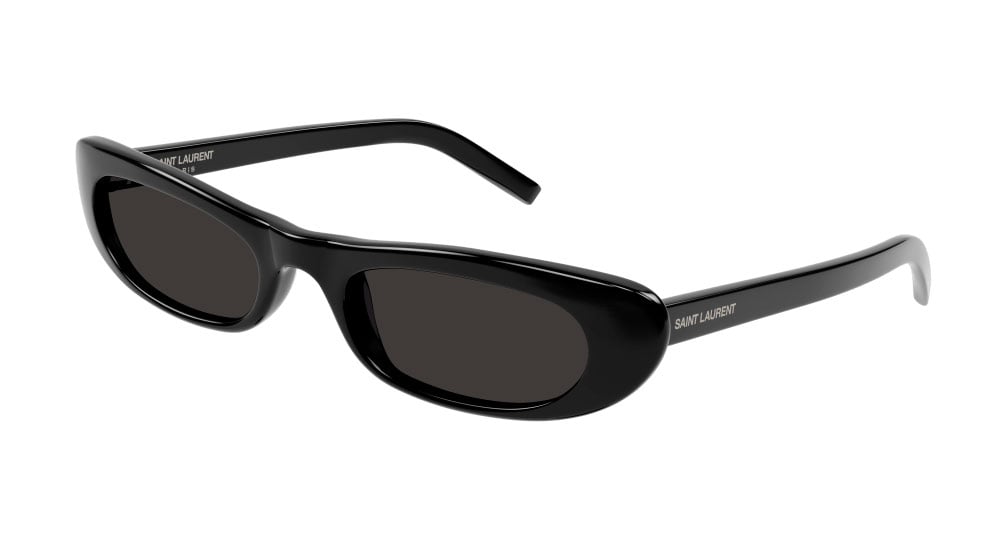
And remember, protection doesn't stop at the desk. When you go outside, your eyes also need protection from the sun. It is essential to use UV400 Sunglasses: Total eye protection, even on cloudy days, to stop the damage that ultraviolet rays cause over time.
When to Seek Professional Help: Don't Ignore the Signs
If you are already taking care of your posture and screen habits but still experience double vision, severe eye pain, or persistent headaches, you must see a specialist. Don't wait for the issue to become chronic.
If you haven't done so yet, I suggest you take a look at Visual Exam: How to know if you need glasses to put your mind at ease and rule out major problems. Ultimately, detecting any issue early is the best way to ensure your eyes continue to perform well throughout your career.
Conclusion: Your Visual Health is Key to Screen Performance
Taking care of your vision after 10 hours in front of a screen isn't a luxury; it's essential to keep your energy up and live comfortably. If you get into the habit of taking breaks, adjusting your chair and monitor, and getting regular eye exams, you'll see how much better you can handle the frantic pace of technology.
The importance of comprehensive eye protection lies in consistency, day after day. Don't wait until your eyes are watering or hurting to take action; start applying these changes today and make your visual health the fundamental pillar of everything you achieve in the digital world.


